Start here
Get started with Cap Table
Open Cap Table, explore the sample company, and set up your first company with share classes, stakeholders, and securities.
On this page
Open the app
Cap Table is free cap table software for maintaining ownership records, tracking equity awards, and modeling funding rounds. This website contains the app, product documentation, and guides.
Open Cap Table, choose Get started now, and sign in or create a Puter account when prompted. If you are already signed in, the app opens directly. Your company records and supporting attachments are stored in your own Puter account. You need an internet connection for cloud reads and saves.
Explore with sample data
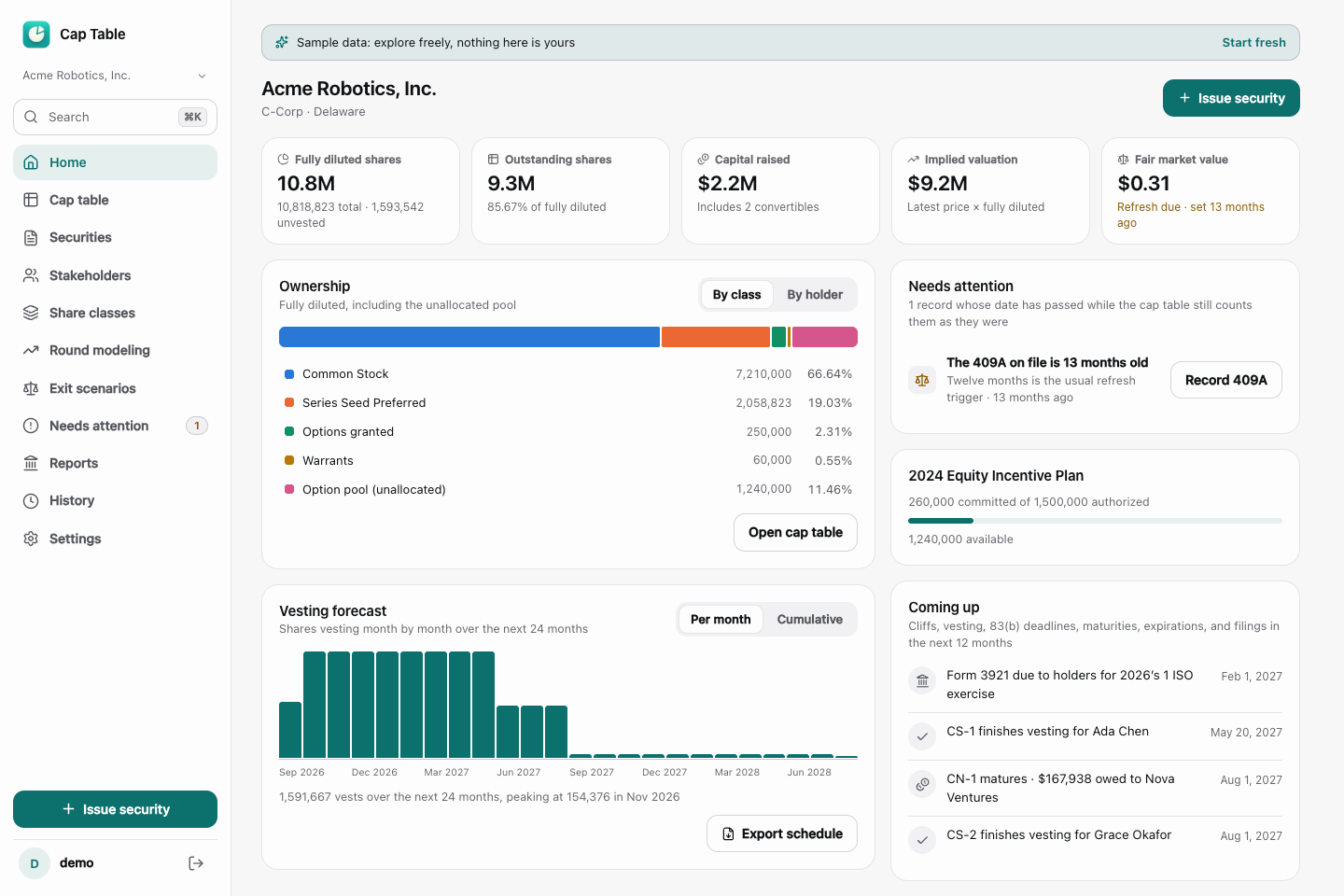
On the welcome screen, select Explore with sample data to load a fictional company. The sample includes founder shares, investors, option grants, and a draft funding scenario. The banner identifies the records as sample data.
Use this workspace to inspect the Home dashboard, open the Cap table view, and explore Round modeling. When you are ready to remove the sample records, use Start fresh in the sample banner and review the confirmation. Export anything you want to retain before clearing it.
Set up your own company
Choose Set up my company on the welcome screen if you want to start with your own records. Enter the company details requested by the setup form. Use dates and quantities from the company’s records rather than estimates. If you enter an authorized common-share count during setup, the app creates a Common Stock class. Review that class before adding another one.
The company selector lets you switch between companies. Check the selected company before making changes or importing a file. Each company has its own records.
Add records in a useful order
- Share classes. Define common and preferred classes before recording shares against them. Authorized shares are the class limit, not the quantity already issued.
- Stakeholders. Add the people and entities that hold securities.
- Equity plans. Set up a plan before recording options or RSUs that draw from its reserve.
- Securities. Record issued shares, grants, and convertible instruments with the appropriate holder, dates, and terms.
If the records already exist in a spreadsheet, follow Import a cap table from CSV instead of entering every row manually.
Check your first cap table
Open Cap table and compare the results with your source records. Review the outstanding and fully diluted views, the option-pool setting, and the as-of date. These choices affect the denominator used for ownership percentages.
Check the total shares, each holder’s securities, and any convertible agreements. In this app, SAFEs and convertible notes do not enter the ownership share counts until they convert. Use Needs attention to review records that may require an action, such as an expired grant or an outdated recorded valuation.
Once the records reconcile, export a company backup from Settings. See Exports, backups, and history for the differences between a report, a backup, and a restore point.